FurtherAI Available in Microsoft Marketplace
Introducing Connectors



Rules-Based Automation vs AI Extraction for Claim Documents (2026 Guide)

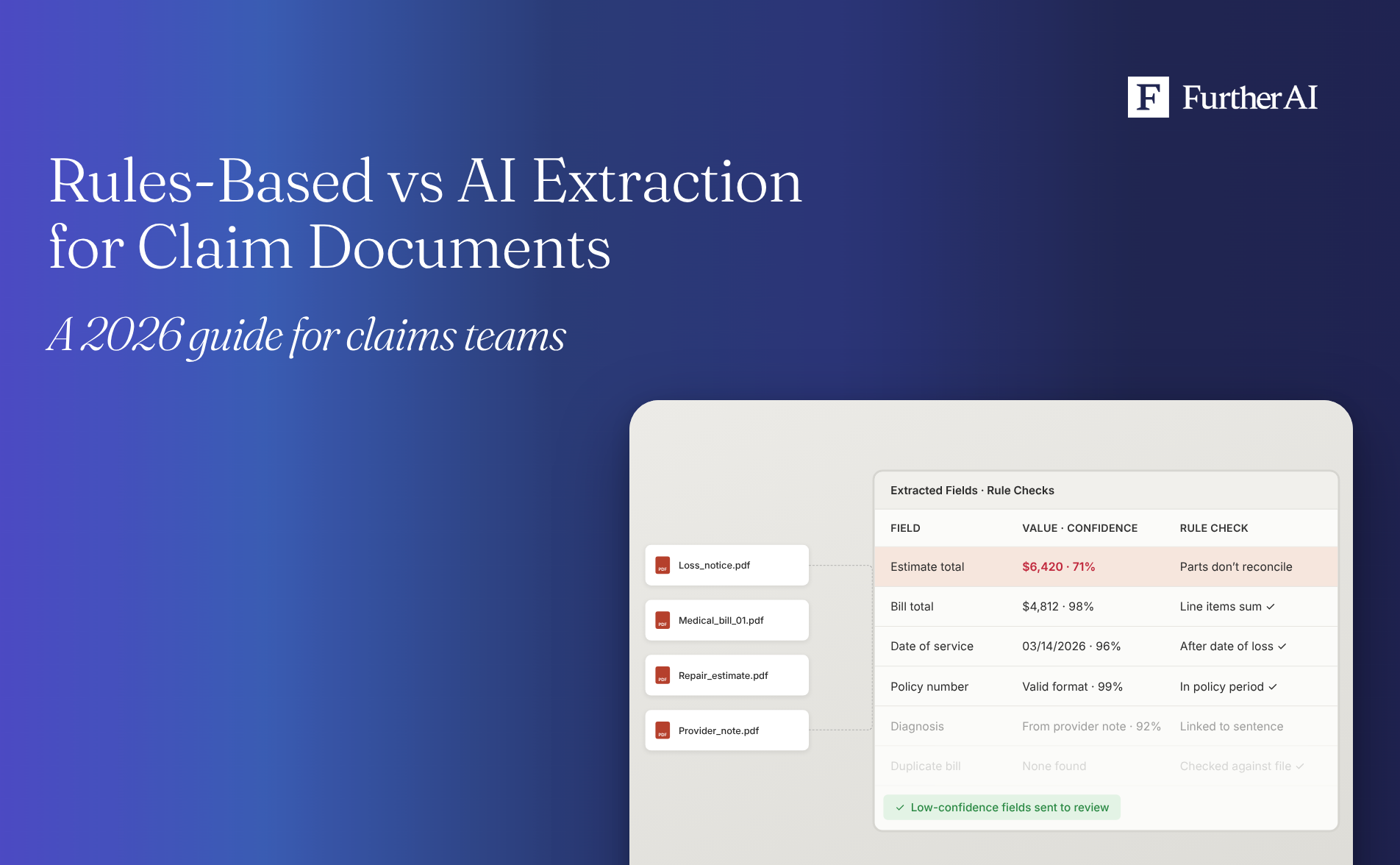
A single claim file rarely arrives as one tidy form. It's a loss notice, a stack of medical bills from different providers, a body shop estimate written from photos, an explanation of benefits, and a thread of emails. That mix is why the question of rules-based automation versus AI extraction matters so much in claims, and why the right answer depends on the document in front of you.
The short answer: for medical bills, repair estimates, and claim packets with varied layouts, AI extraction is the better fit for reading the documents, and rules-based automation is the better fit for checking the results, because rules behave the same way every time. Fixed-layout forms on a single version can still run on templates. Most claims teams get the best results from a hybrid: AI reads and structures every document, deterministic rules validate the output, and an adjuster approves exceptions with the source page in view.
Key takeaways
- Rules-based automation works best on stable, uniform documents. A claim form on one known version, with fields in fixed positions, suits templates and if-then rules.
- AI extraction works best on variable documents. Medical bills, repair estimates, and narrative attachments come in many layouts, and AI reads them without a template per layout.
- Rules still matter after extraction. Totals, date logic, code formats, and required fields should be checked deterministically before extracted data triggers anything downstream.
- Traceability decides whether you can trust either approach. Every extracted field should point back to the source document and page, so a reviewer can verify it in seconds.
- Document processing is already a leading AI use case in claims: it was the most commonly reported use, by 43% of respondents, in the UK-focused Insurance Times AI Claims Report 2025/26.
Is rules-based automation or AI extraction better for medical bills, repair estimates, and claim forms?
It depends on how much the documents vary. The more layouts, scans, handwriting, and free text a document type carries, the more AI extraction pulls ahead. The more a document type is a single fixed form, the more competitive rules become. Since a typical claim packet contains both kinds, the useful question is which approach should own each step.
Rules-based automation extracts data with fixed templates, zones, keywords, or regular expressions, then applies if-then logic. It's predictable and easy to explain. It also depends on documents looking exactly the way the template expects.
AI-based extraction uses machine learning and large language models (LLMs) to read a document and identify fields from context instead of position. It handles layout variation and free text. Its output is probabilistic, so it needs confidence scoring and validation before anyone relies on it.
Rules-based vs AI extraction at a glance
How each approach handles the documents in a claim file
Claims documents sit on a spectrum. At one end are standard forms that change rarely. At the other are documents that are different every time. Here's where the main types fall.
Medical bills
Professional bills usually arrive on the 1500 claim form, which the National Uniform Claim Committee maintains, and facility bills on the UB-04 (Form CMS-1450), which the National Uniform Billing Committee designs. Those standards help. In practice, though, a commercial claim file also collects itemized statements, scanned or faxed copies, provider letterhead invoices, and records with notes in the margins. Template extraction needs a layout per variant and struggles with every new one.
The volume makes this worth getting right. Medical benefits make up 53% of workers compensation losses for accident year 2025 in NCCI states (preliminary), according to NCCI. AI extraction can read line items, codes, and dates of service across layouts. Rules are well suited afterward for checking totals, code formats, and date logic.
Repair estimates
Estimates differ by shop, estimating system, and inspection method, and they mix tables of labor and parts with free-text notes. Many are also written remotely: photo estimating accounted for 26.4% of inspections on repairable claims in 2025, and 28.3% of repairable appraisals included a calibration line in the fourth quarter of 2025, according to CCC's Crash Course 2026 data reported by Claims Journal. Longer, more technical estimates mean more line items to capture correctly.
AI extraction can pull labor, parts, operations, and totals without a template per shop. Rules then check that line items add up, flag amounts above thresholds, and compare the estimate against what the claim file says was damaged.
Claim forms and loss notices
Standard loss notices are the most template-friendly document in the file. Many commercial claims start on standard ACORD loss notices. Carriers such as Markel, for example, provide the Property Loss Notice (ACORD 1), Automobile Loss Notice (ACORD 2), and General Liability Notice of Occurrence (ACORD 3) on their claims forms pages.
Two things complicate that. ACORD revises its forms over time, so more than one edition can arrive (for example, the 2016/10 edition of ACORD 2 listed in Vertafore's AMS360 release notes). And the narrative fields and attachments that come with a notice are free text, which is where AI extraction adds the most value. For more on form-specific extraction, see our guide to AI for ACORD form data extraction.
EOBs, provider notes, and correspondence
Explanations of benefits, provider notes, adjuster emails, and claimant letters carry decisions, dates, and facts in sentences, not fields. Field positions don't exist, so templates have little to anchor to. This is where language models do work that rules can't, as long as each extracted fact links back to the sentence it came from.
Which approach fits each claim document
What to extract from each claim document
Before comparing tools, agree on the fields. The table below is a starting point for a claims data model; your lines of business will add to it.
Deterministic checks worth automating
Once fields are extracted, rules do what they're best at.
For the step-by-step setup of medical bill intake, see how to automate medical bill data extraction.
Where rules-based automation breaks down
- Layout dependence. A new provider, a new estimating system, or a revised form edition can break a template overnight.
- Maintenance grows with variety. Every new layout adds a template to build, test, and keep current.
- Unstructured content. Notes, emails, and narrative fields don't have positions to anchor a rule to.
- Silent failure risk. A template that misses a field can pass incomplete data downstream unless a completeness check catches it.
Layout variety is the hard part of extraction for any approach. When Google Research built the VRDU benchmark for extracting structured data from visually rich documents, it included documents with many different layouts because, as the team wrote, a high-capacity model can extract from a single template “by memorizing the structure.” Even the machine learning models it tested found new layouts hard: the paper concluded that generalizing to new templates is still very challenging. That’s why rules tied to one layout break, and why AI extraction still needs validation and review.
Where AI extraction needs guardrails
- Probabilistic output. Use confidence scores and send low-confidence fields to a reviewer.
- Validation before action. Run deterministic checks on extracted values before they trigger payments, reserves, or letters.
- Evidence. Without a link to the source page, reviewers repeat the manual check and the time savings disappear.
- Data quality. In an AM Best survey of about 150 rated insurers and managing general agents (MGAs), published in April 2026, data readiness was the top AI implementation challenge, cited by 45%, as Insurance Journal reported. Extraction quality depends on the documents you feed it.
Validation is also what makes AI extraction more accurate. In a FurtherAI engineering evaluation on difficult loss runs, giving the extraction agent tools to check claim counts and financial totals against the document’s own summary, and to re-examine pages when they didn’t match, lifted row-count accuracy from about 80% to 95%. That's an internal test on underwriting documents, not a claims deployment result, but the lesson carries over: a short validation function did more than weeks of prompt tuning.
The hybrid approach most claims teams use
The practical answer to rules versus AI is to give each one the job it does best and put a person on the exceptions.
- Ingest and classify. Identify every document in the claim packet, including bills, estimates, forms, and correspondence.
- Extract with AI. Read and structure fields across document types and layouts.
- Validate with rules. Check totals, formats, required fields, dates, and thresholds deterministically.
- Score and route. Send low-confidence fields and rule failures to a reviewer; let clean files move on.
- Review with sources. Show the reviewer the extracted value next to the source page.
- Record the audit trail. Keep what was extracted, what was checked, who approved it, and when.
This is how we think about claim documents at FurtherAI: insurance-specific document intelligence, deterministic validation, and human approval working together, instead of a generic optical character recognition (OCR) wrapper in front of a rules engine.
Is a general document AI or an insurance-specific platform better for adjudication?
For simple, uniform extraction, a general document AI tool is a reasonable starting point. For adjudication work on full claim files, an insurance-specific platform is usually the better fit, because it's built around claim packets that mix medical records, estimates, and correspondence, and it ties extraction to claim workflows and audit needs. Either way, test both on your own documents.
Why traceability and audit trail decide which approach you can trust
Whatever extracts the data, someone has to be able to show where each value came from. Claim files get reviewed internally, by reinsurers, and by examiners, and AI use is getting more attention: the NAIC's Model Bulletin on insurers' use of AI systems had been adopted in 30 jurisdictions as of November 13, 2026.
For document extraction, a defensible record shows four things for every field: the source document and page, the confidence score, the rule checks it passed or failed, and the person who approved or changed it. Rules-based systems are explainable by design but rarely link back to the page. AI systems need source citations to be explainable at all. For the full list of what a claim file has to prove, see our guide to audit trails for coverage decisions.
What software extracts data from medical bills, repair estimates, and claim forms?
Four kinds of software do this work. They differ in how much of the hybrid workflow they cover out of the box.
For named tools adjusters use today, see 8 AI tools that help adjusters process unstructured claim documents and photos.
How FurtherAI approaches claim documents
FurtherAI is an AI workspace for insurance. For claims, it structures estimates, police reports, medical records, and photos into searchable claim files (Carriers), and in Life & Health it structures EOBs, provider notes, and correspondence into searchable case records (Life & Health). Its claims automation extracts, classifies, and summarizes claims data with confidence scoring and audit trails (All solutions), and key facts and amounts are captured with source citations (Commercial auto). Human-in-the-loop review is a core part of the product, and FurtherAI offers more than 100 enterprise integrations.
In one deployment, a specialty insurer whose claim intake was almost entirely manual, and slowed by inconsistent document layouts, automated more than 90% of its targeted intake workflow and processes over 3,000 claims a year through it, reporting more than $360K in annual savings (see our vendor-reported case study). Fit depends on your documents, systems, and workflows, so evaluate on a sample of your own files.
How to evaluate extraction software for claim documents
What to test in a pilot
- Pull a representative sample. Take 100 to 200 recent documents across bills, estimates, and forms, including the messy ones.
- Define the fields and the right answers. Agree on target fields and correct values before you start.
- Measure three things. Field-level accuracy, the share of fields routed to review, and reviewer time per file.
- Test a layout the system hasn't seen. Add documents from a new provider or shop.
- Check the audit trail. Confirm the log answers the questions your internal reviewers and auditors ask.
Keep reading
- Comparing named tools for adjusters? See 8 AI tools that help adjusters process unstructured claim documents and photos.
- Ready to set up medical bill intake? Follow our step-by-step guide to automated medical bill data extraction.
- Running claims for several carrier clients? Read the best AI for claims processing and adjudication at TPAs.
- Building a broader claims AI stack? Start with the 7 best AI tools for insurance claims processing.
- Checking extracted bills and estimates for overpayment? See software that detects claims leakage and fraud for carriers.
Frequently asked questions
DISCLAIMER
This article is for general informational purposes only and does not constitute legal, regulatory, compliance, underwriting, or other professional advice. The content reflects information available as of the date of publication, and FurtherAI undertakes no obligation to update it as laws, regulations, or AI technologies evolve.
Recent posts


Ready to go further and
transform your insurance ops?
Reclaim your time for strategic work and let our AI Assistant handle the busywork. Schedule a demo to see how you can achieve more, faster.